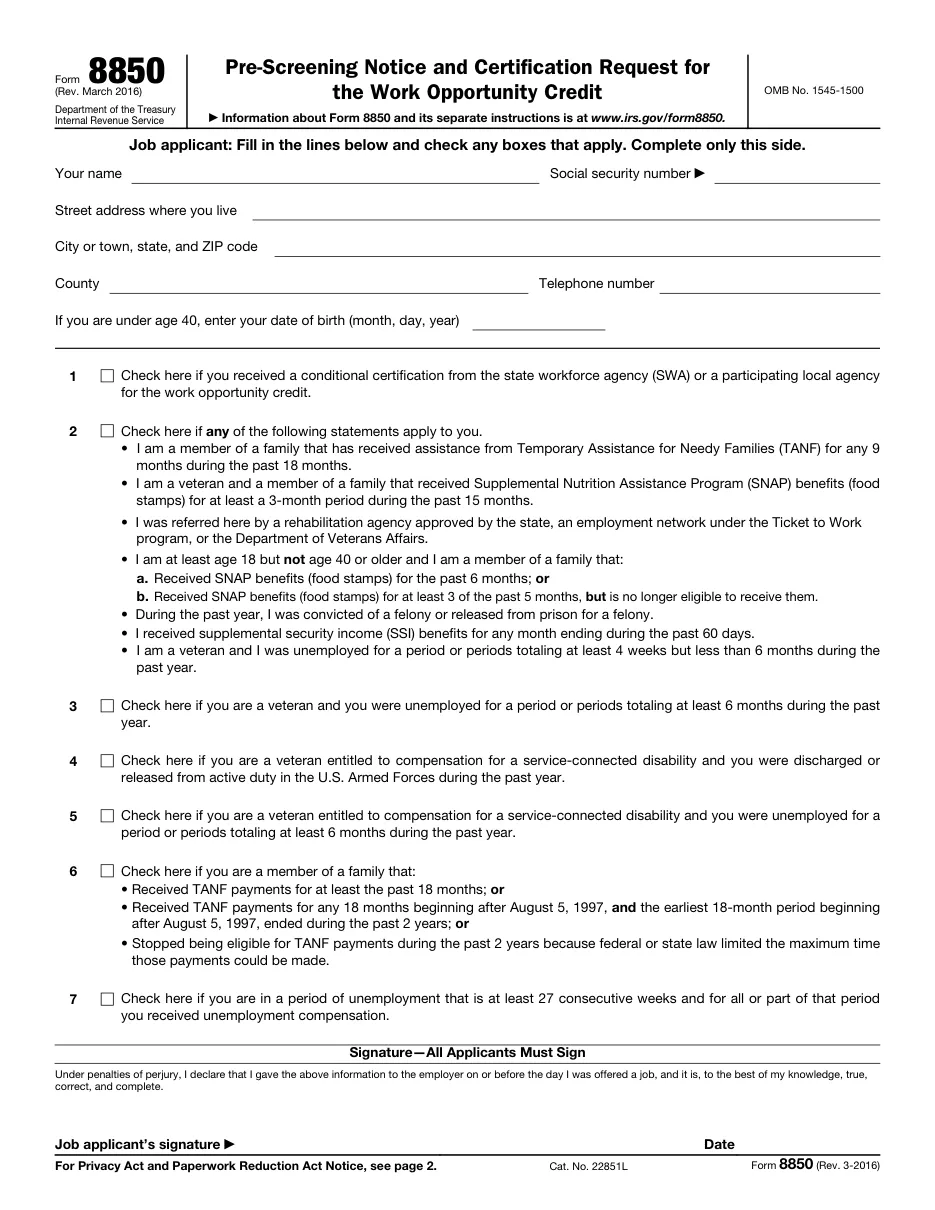
Form 8850: Pre-Screening Notice and Certification Request for the Work Opportunity Credit
Employers use Form 8850 to pre-screen new hires for the Work Opportunity Tax Credit (WOTC). Hires from target groups such as veterans or long-term unemployed can qualify. It goes to the state workforce agency, not the IRS.
Easy PDF filling and editing
- Fill out forms in your browser without installing software
- Files are processed on our own server and not shared with third parties
- Instant export of the completed document in PDF format
Instructions for filling out Form 8850: Pre-Screening Notice and Certification Request for the Work Opportunity Credit
This template is used for official filing and documentation. Below are detailed instructions for completing, requirement details, and submission rules.
Who needs to fill out this document?
This form is designed for use by legal entities, individuals, or authorized representatives in the following cases:
- Employers hiring from WOTC target groups.
- HR teams handling new-hire tax credit screening.
- Job applicants completing onboarding paperwork.
What you will need before starting
Before filling out the interactive form, prepare the following details and documents:
Step-by-step filling process
- Applicant completes page 1: On or before the day of the job offer, the applicant answers the screening questions.
- Applicant signs: Applicant signs under penalties of perjury.
- Employer completes page 2: Enter employer details and offer, hire and start dates.
- Submit within 28 days: Send to your state workforce agency within 28 days after the employee starts work.
Frequently Asked Questions (FAQ)
Do I send Form 8850 to the IRS?
No. Submit it to your state workforce agency, which certifies eligibility.
What if I miss the 28-day deadline?
The credit is generally lost for that employee, so submit promptly.
How do I claim the credit?
After certification, claim it on Form 5884 (or Form 5884-C for certain tax-exempt employers).
Ready to fill out Form 8850: Pre-Screening Notice and Certification Request for the Work Opportunity Credit?
Open the editor, enter the required details, and download your document in a couple of minutes.
Proceed to fill out →