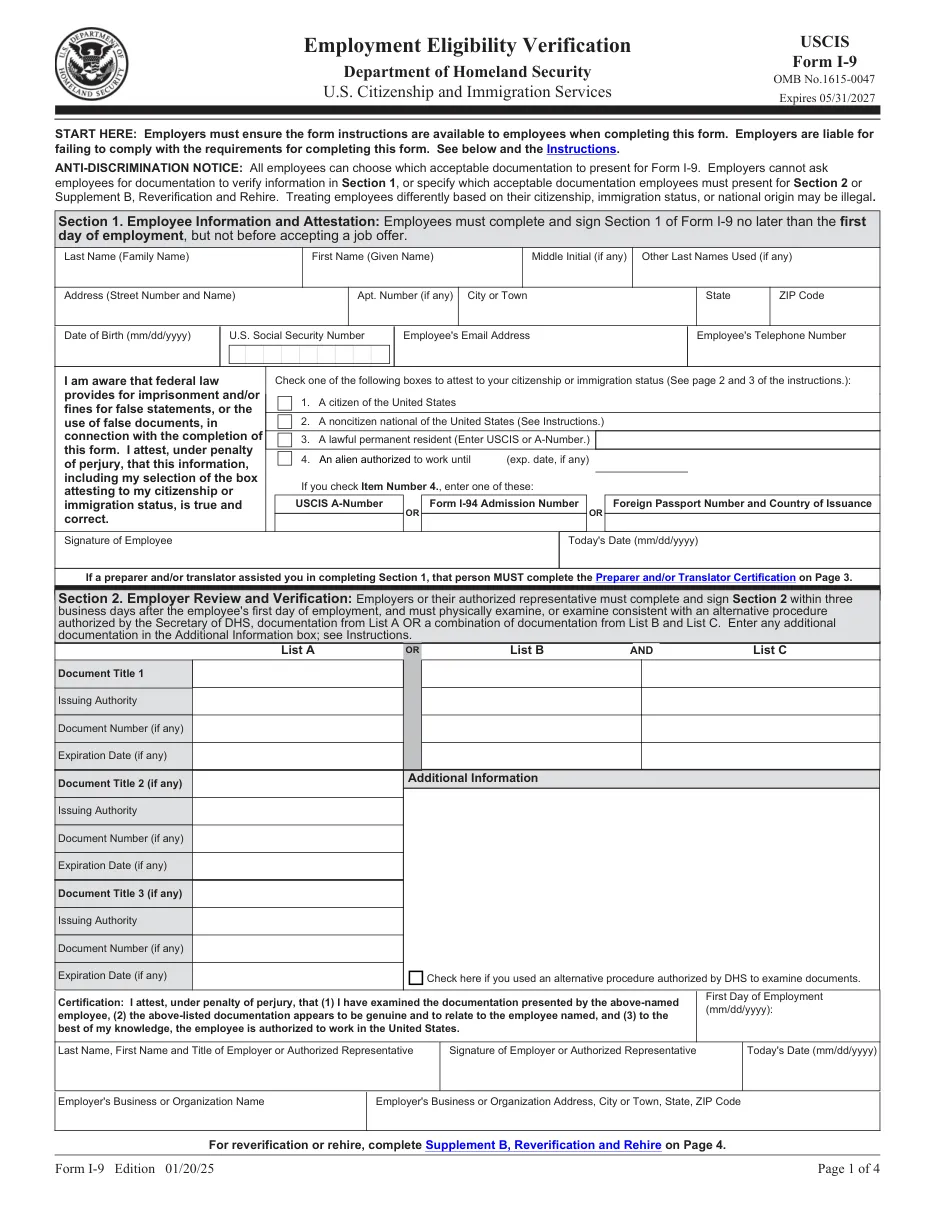
Form I-9: Employment Eligibility Verification
Required for every new hire in the U.S. to verify identity and authorization to work. The employee completes Section 1 and the employer examines documents and completes Section 2.
Easy PDF filling and editing
- Fill out forms in your browser without installing software
- Files are processed on our own server and not shared with third parties
- Instant export of the completed document in PDF format
Instructions for filling out Form I-9: Employment Eligibility Verification
This template is used for official filing and documentation. Below are detailed instructions for completing, requirement details, and submission rules.
Who needs to fill out this document?
This form is designed for use by legal entities, individuals, or authorized representatives in the following cases:
- Every employer hiring an employee in the U.S.
- New employees completing first-day paperwork.
- HR teams reverifying expiring work authorization.
What you will need before starting
Before filling out the interactive form, prepare the following details and documents:
Step-by-step filling process
- Employee completes Section 1: By the first day of work; preparers and translators use Supplement A.
- Employee presents documents: Original, unexpired documents from the Lists of Acceptable Documents.
- Employer completes Section 2: Within 3 business days of the start date; record document details.
- Retain the form: Keep it on file, not sent to USCIS, for 3 years after hire or 1 year after employment ends, whichever is later.
Frequently Asked Questions (FAQ)
Can the employer choose which documents I show?
No. The employee chooses from the Lists of Acceptable Documents; requesting specific documents can be discrimination.
Can documents be checked remotely?
Employers enrolled in E-Verify in good standing may use the DHS-authorized alternative procedure for remote examination.
Does the form edition matter?
Yes. USCIS rejects outdated editions. Check the edition date printed at the bottom of each page and compare it with the edition listed on the form's page at uscis.gov before filing.
Ready to fill out Form I-9: Employment Eligibility Verification?
Open the editor, enter the required details, and download your document in a couple of minutes.
Proceed to fill out →