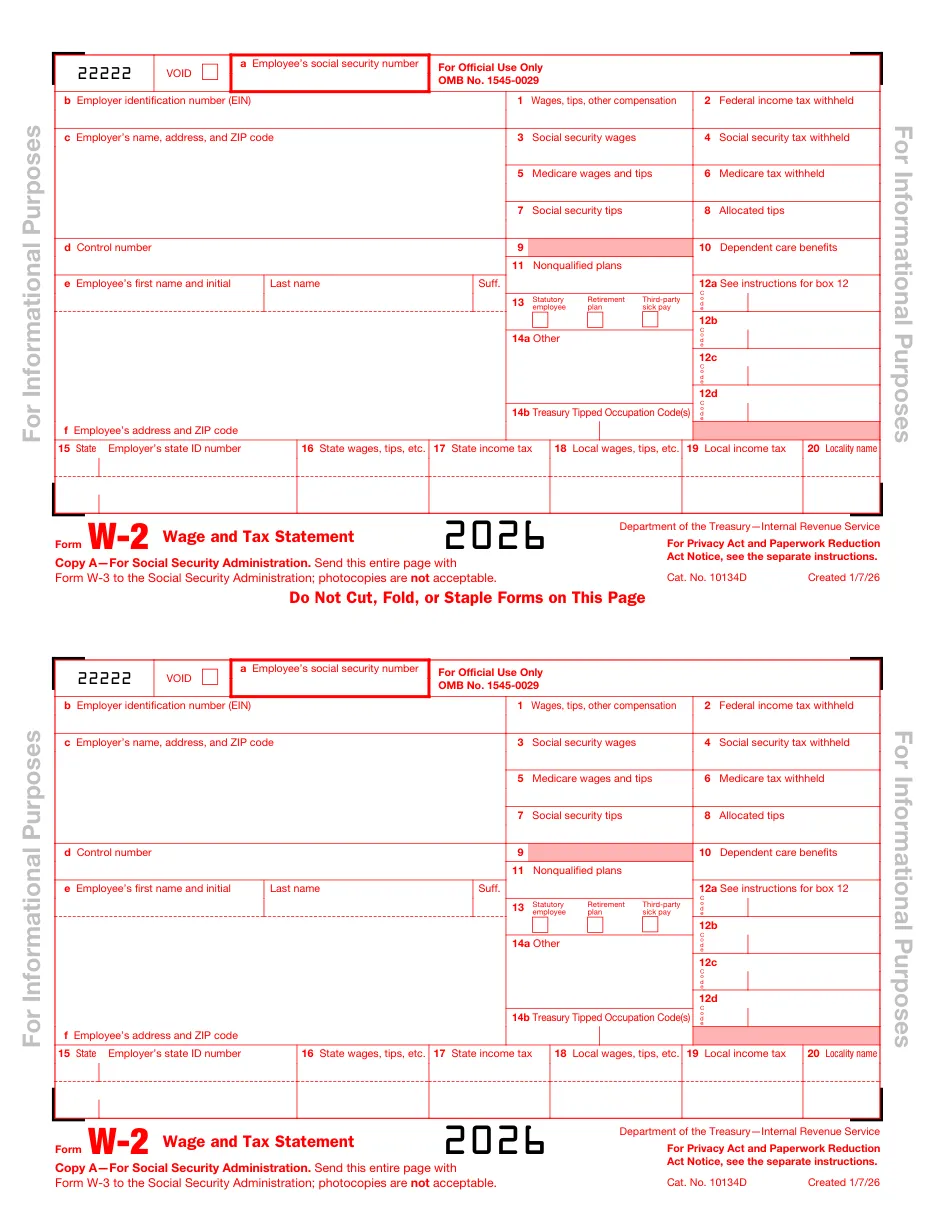
Form W-2: Wage and Tax Statement
Annual statement of wages paid and taxes withheld that employers give each employee and file with the Social Security Administration. Employees use it to prepare their tax return.
Easy PDF filling and editing
- Fill out forms in your browser without installing software
- Files are processed on our own server and not shared with third parties
- Instant export of the completed document in PDF format
Instructions for filling out Form W-2: Wage and Tax Statement
This template is used for official filing and documentation. Below are detailed instructions for completing, requirement details, and submission rules.
Who needs to fill out this document?
This form is designed for use by legal entities, individuals, or authorized representatives in the following cases:
- Employers issuing year-end wage statements.
- Payroll and HR teams.
- Employees reviewing their annual earnings and withholding.
What you will need before starting
Before filling out the interactive form, prepare the following details and documents:
Step-by-step filling process
- Verify employee data: Match names and SSNs to Social Security records to avoid mismatches.
- Enter wages and taxes: Complete boxes 1-6 and state/local boxes 15-20.
- Add box 12 and 13 items: Enter codes for 401(k), HSA, employer health coverage and other items.
- Furnish and file by January 31: Give copies to employees and file Copy A with SSA, together with Form W-3 if on paper.
Frequently Asked Questions (FAQ)
Can I file Copy A printed from this PDF?
No. Copy A sent to the IRS (or SSA) must be the official red-ink scannable version or filed electronically. Printable copies are fine for recipients and your records. Businesses filing 10 or more information returns in a year must e-file.
Why is box 1 lower than my gross pay?
Pre-tax deductions such as 401(k) contributions and some health premiums are excluded from box 1 wages.
What if a W-2 has a mistake?
The employer issues Form W-2c and files W-3c with SSA.
Ready to fill out Form W-2: Wage and Tax Statement?
Open the editor, enter the required details, and download your document in a couple of minutes.
Proceed to fill out →