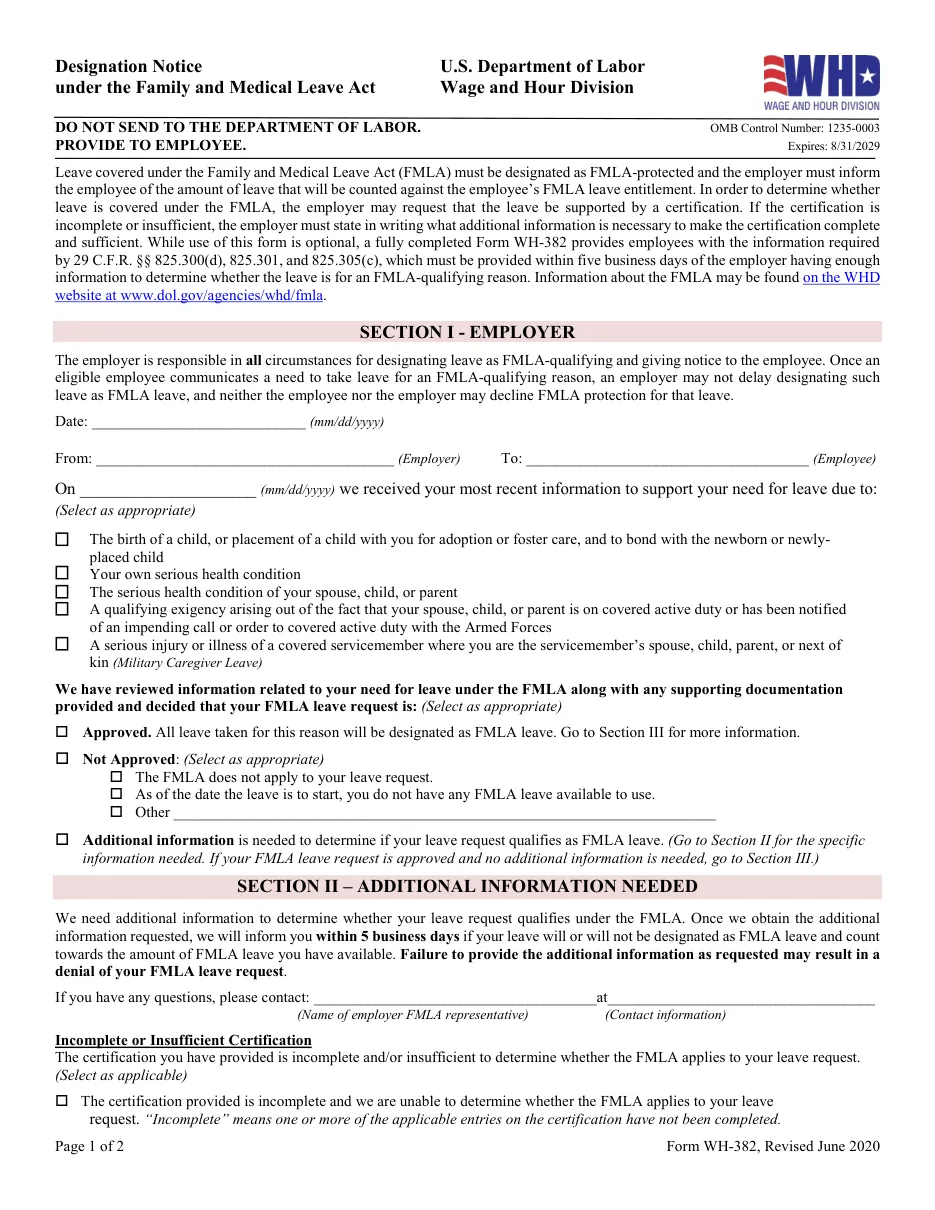
Form WH-382: Designation Notice (FMLA)
Optional DOL form employers use to tell an employee whether leave is designated as FMLA-protected and how much will count against their FMLA entitlement.
Easy PDF filling and editing
- Fill out forms in your browser without installing software
- Files are processed on our own server and not shared with third parties
- Instant export of the completed document in PDF format
Instructions for filling out Form WH-382: Designation Notice (FMLA)
This template is used for official filing and documentation. Below are detailed instructions for completing, requirement details, and submission rules.
Who needs to fill out this document?
This form is designed for use by legal entities, individuals, or authorized representatives in the following cases:
- HR teams after receiving medical certification.
- Employers finalizing FMLA leave status.
- Employees on approved or pending leave.
What you will need before starting
Before filling out the interactive form, prepare the following details and documents:
Step-by-step filling process
- Review the certification: Decide if information is sufficient.
- Mark the decision: Approved, needs more information or not FMLA.
- Specify leave amount: State how much leave counts against the 12 weeks.
- Deliver within 5 business days: After the employer has enough information to decide.
Frequently Asked Questions (FAQ)
Can the designation be retroactive?
Yes, in some cases, if it doesn't harm the employee.
Does paid leave run concurrently?
It can, if the employer requires substituting paid leave; the notice should say so.
Is the form mandatory?
The notice is required; this form is optional.
Ready to fill out Form WH-382: Designation Notice (FMLA)?
Open the editor, enter the required details, and download your document in a couple of minutes.
Proceed to fill out →